
Have a voice conversation
A voice conversation is hands-free: PelQi listens, answers out loud and listens again.
Availability: Available on every Winmantle desk in the private pilot.
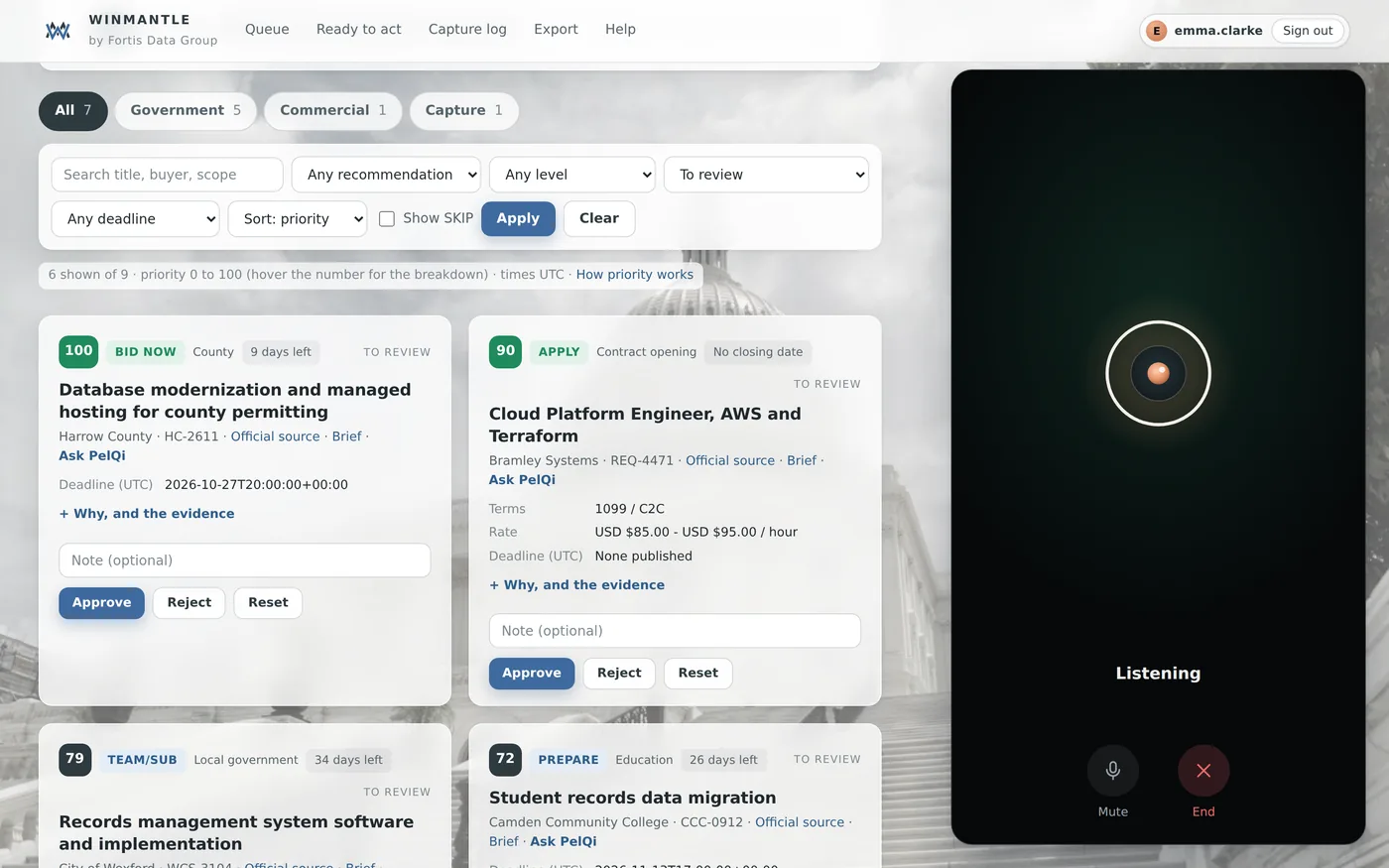
The conversation ends by itself after two quiet minutes. Esc also ends it.
Steps
- Open PelQi and tap the waveform button at the right of the question box
- Allow the microphone if asked
- Speak your question, then pause
- Listen. To interrupt, just start talking
- Tap Mute to stop PelQi hearing you, or End to finish
What you should see
The state changes between Listening, Thinking and Speaking. Talk any time to interrupt, and the conversation appears as text, sentence by sentence.
What it can and cannot do
It can
- Listen, answer out loud and let you interrupt
It cannot
- Keep listening after two quiet minutes
- Wake on a spoken word yet
If it does not work
- Still answering the last question: wait for the answer, then ask again.
- No sound: see PelQi's voice is not available.
Related articles
- Dictate a questionTap the microphone, speak, and the words appear in the question box for you to send.
- Hear answers read aloudRead aloud under any answer plays it once; the speaker button reads every reply.
- The microphone does not workAllow the microphone for the desk in your browser, check the device, and use Safari or Chrome.
Still stuck? Contact support, or browse all articles.