
A tour of the desk
The desk is one page with everything on it. From the top:
Availability: Available on every Winmantle desk in the private pilot.
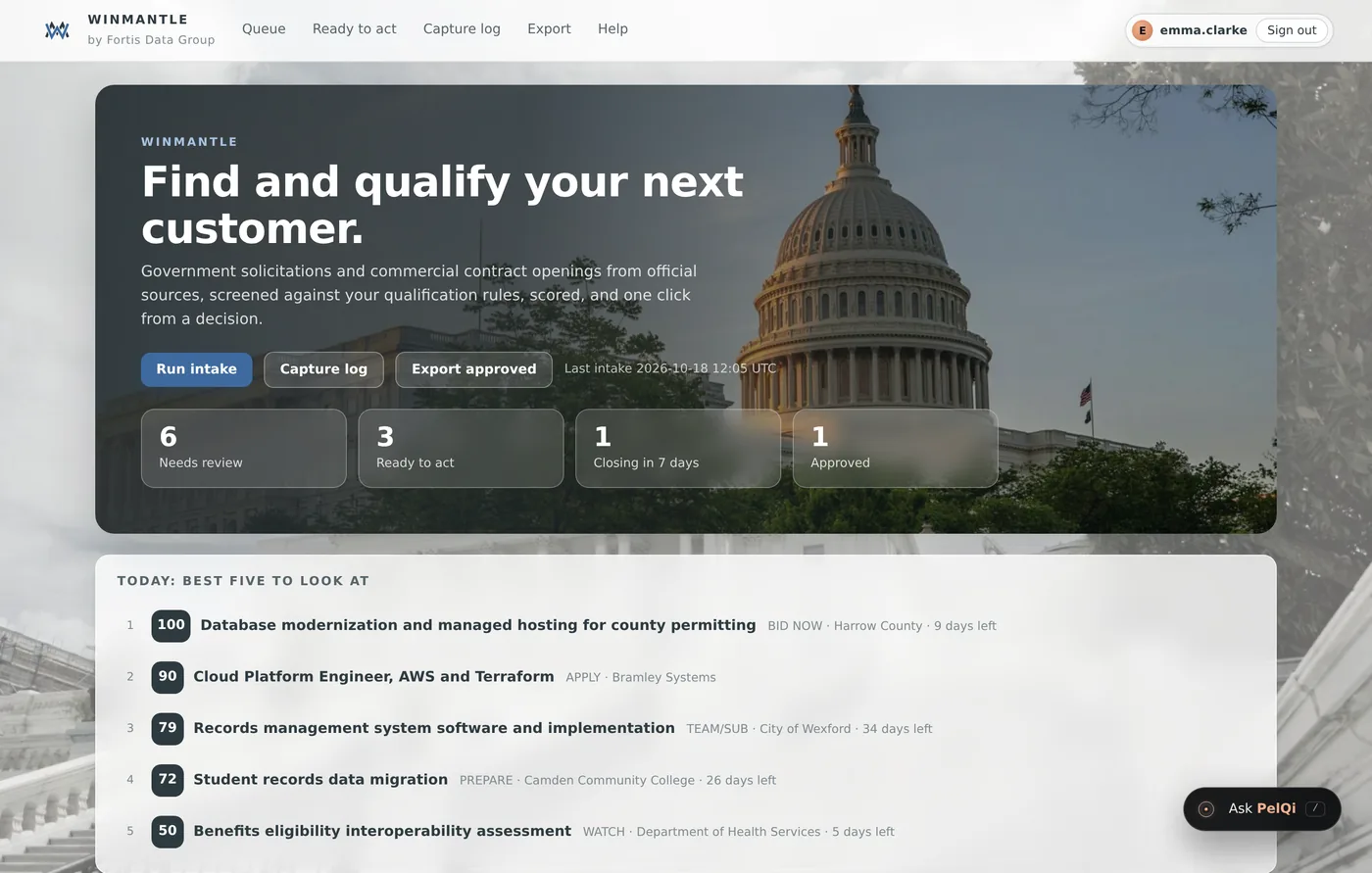
- Menu
- Queue, Ready to act, Capture log, Export and Help, with your account at the right
- Intake
- Intake runs by itself daily; Run intake reads every source again now. Beside it: the time of the last intake in UTC, how many items are new in the last day, and the daily time
- Exports
- Capture log, Export approved as CSV and Deadlines to calendar
- Counters
- Needs review, Ready to act, Closing in 7 days and Approved. Each one is a link to that view
- Today: best five to look at
- The five highest priority items still to review with nothing blocking them
- Lane tabs and filters
- All, Government, Commercial and Capture, then search, filters and sort
- Cards
- One card per opportunity, with its score, recommendation, deadline, reasons and decision buttons
- Coverage
- At the bottom, every source the last intake searched and what happened
- PelQi
- The Ask PelQi button at the bottom right opens the assistant
What it can and cannot do
It can
- Show the whole pipeline on one page
- Link each counter to its own view
It cannot
- Hide sections of the desk or rearrange them
Related articles
- Counters and the best fiveThe four counters and the Today list at the top of the desk, and what each one counts.
- Reading a cardWhat every part of an opportunity card means, from the score to the decision buttons.
- Open and close PelQiPress Ask PelQi at the bottom right, or the / key. Esc closes it.
Still stuck? Contact support, or browse all articles.